Sharps, flats, and courtesy accidentals
Required accidentals are computed automatically from the key signature — the F1 K submenu is for overriding a pitch, respelling it enharmonically, or adding a courtesy reminder.
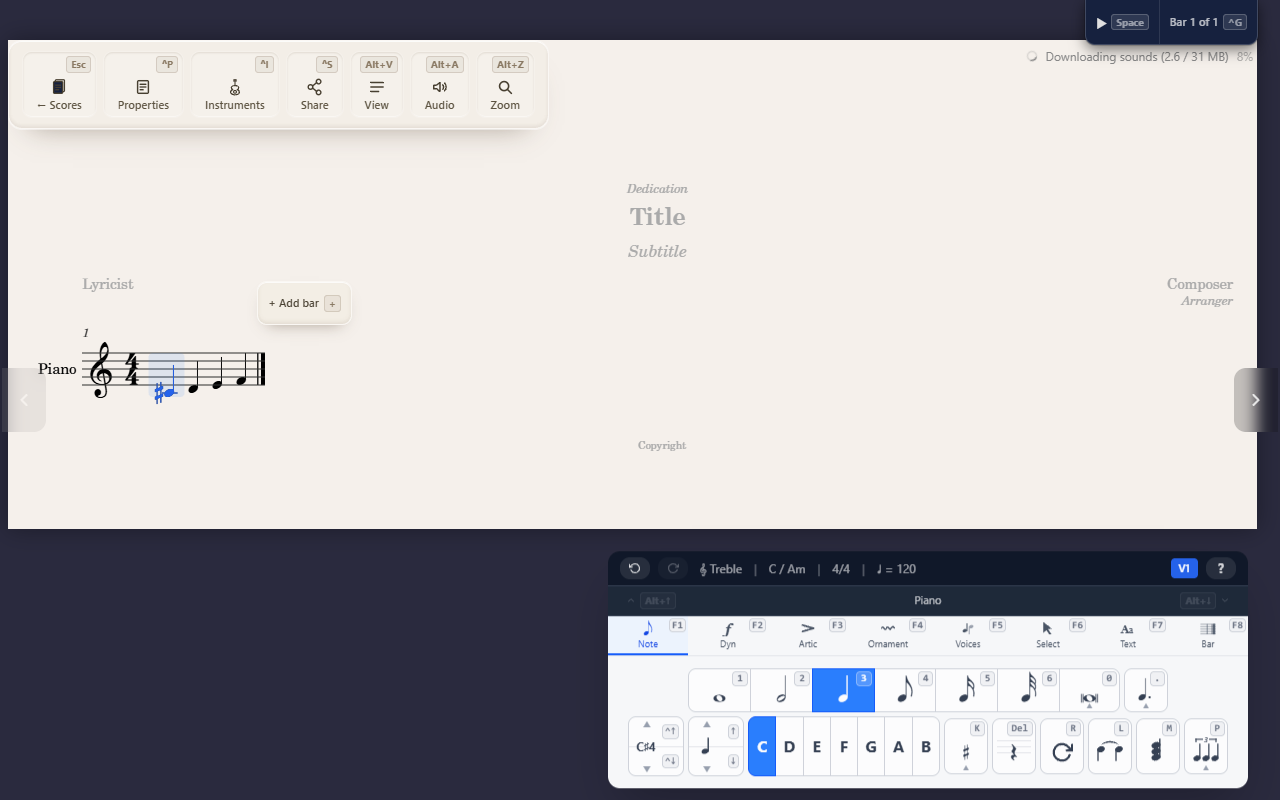
QuickStave draws the accidentals your key signature and bar require
automatically — you never “add” one for that. The Note palette’s F1 K
submenu is for the cases that logic doesn’t cover: overriding a pitch,
respelling it, or adding a courtesy reminder.
Setting a pitch’s accidental
With a note selected, open F1 K then press:
S— sharpF— flatN— naturalDthenS/F— double sharp / double flat
Applying an accidental alters the note’s actual pitch — a sharp isn’t a cosmetic glyph, it raises what’s played.
Respelling enharmonically
F1 K R cycles the note through its enharmonic spellings at the same
sounding pitch — F♯4 becomes G♭4, then back. Use it when a note’s letter
name doesn’t match the surrounding key or harmony, without changing how it
sounds.
Required vs. cautionary accidentals
QuickStave computes required accidentals for you: the key signature, the first occurrence of an altered pitch in a bar, and that alteration carrying through the rest of the bar until the barline resets it. Grace notes follow the same rules. It also draws the reminders a reader needs, plain, without brackets:
- After a clef change, or where an octave line starts or ends, a pitch the bar has already altered shows its accidental again.
- A note right after the barline restates or cancels an accidental the bar before left on its pitch, even where the key signature restores it.
- After a note tied over the barline, the next note of that pitch in the bar shows its accidental.
You never place these yourself — they’re a consequence of the pitch and the key.
Cautionary accidentals (F1 K B) are different: a parenthesized
reminder for a spot the automatic logic wouldn’t otherwise show a glyph
for — a natural later in a bar on a pitch the previous bar altered, for
instance, or on the same letter at another octave, where a performer might
otherwise assume the alteration still applies. Toggle it on a note that’s
already at the pitch you want; it doesn’t change the pitch, only whether a
reminder glyph is drawn. On a note a tie carries onto a new system, it
repeats the accidental there.
Tips
- Respelling and cautionary accidentals only make sense once a note’s
actual pitch is already correct — set that first with
S/F/N. - See Entering notes for how a note gets onto the page before you adjust its accidental.