Creating spanners — hairpins, slurs, and lines
Select a start note and press a spanner's shortcut — a range applies it immediately, a single note lets you pick the end point with a live preview.
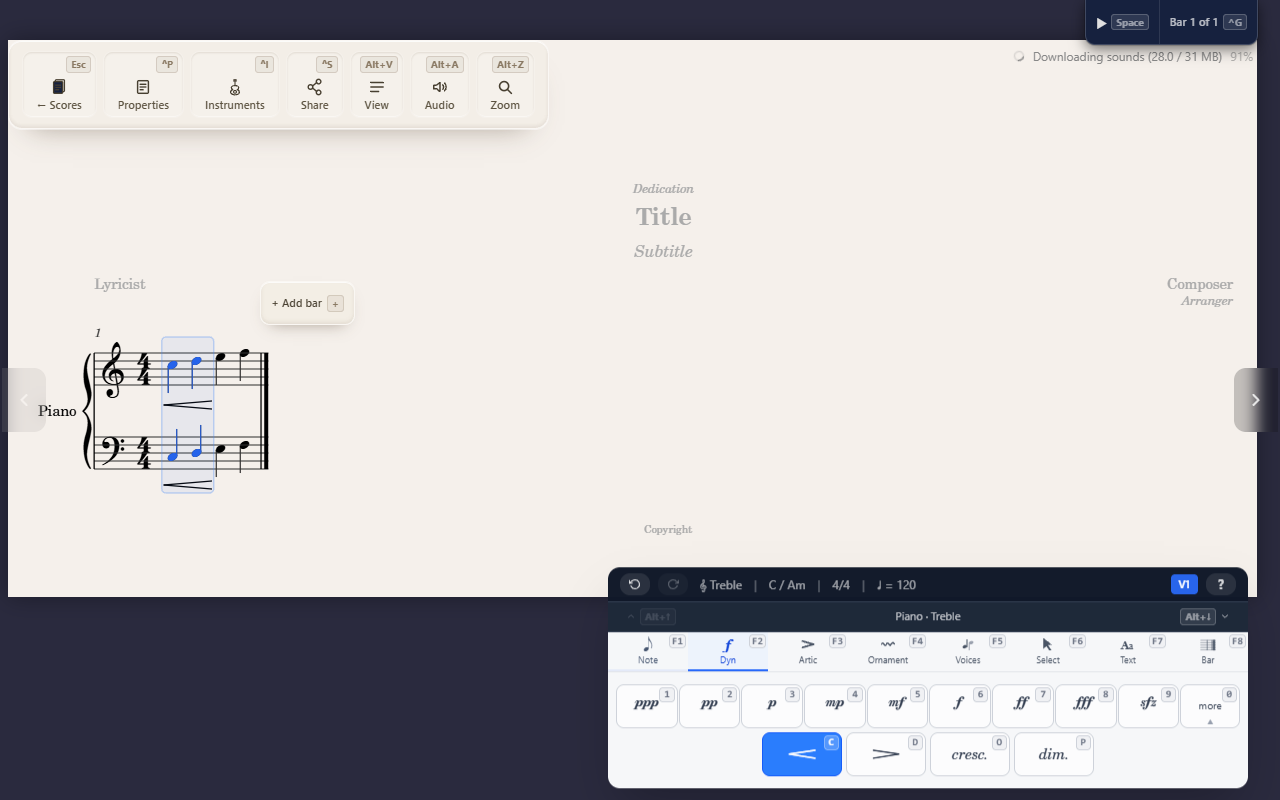
A spanner is any mark that stretches between two notes — a crescendo hairpin, a slur, a trill line, an octave-shift line, a sustain-pedal line. They all work the same way in QuickStave, whether you’re placing a hairpin, a slur, or anything else that needs a start and an end point.
The mechanic
Select a start note, then press the spanner’s shortcut:
- You already have a range selected — the spanner is created immediately, end to end.
- You have a single note selected — QuickStave enters spanner mode:
navigate to the end note with the arrow keys or a click, and a dashed
preview line follows your cursor as you go. Press
Enter, or double-click the end note, to commit it.Escapecancels without creating anything.
Selecting across two staves creates one spanner per staff
If your selection spans two staves — say, a passage on both the treble and bass staff of a piano part — pressing a spanner’s shortcut once creates one independent spanner on each staff, not a single spanner joining them. Select the same range on both staves of a grand staff and press the crescendo-hairpin shortcut, and you get two parallel hairpins, one per staff, from that single keypress.
Not the same as a tie
A slur can look like a tie — both are curved lines — but they mean different things. A tie only ever joins two notes of the same pitch to extend how long a note sounds, and it’s a direct toggle with no end point to pick (see Entering notes). A slur is a spanner: it can join notes of different pitches for phrasing, and doesn’t change how long anything sounds.
What isn’t a spanner
Glissando and tremolo look like they might work the same way — they’re also written as a line or mark stretching across notes — but neither one uses this mechanic. Both are set directly on a note or a pair of notes, with no end point to navigate to.
Tips
- A spanner’s shortcut works the same regardless of which staff or how many notes you’ve selected — the range-vs-single-note branching happens automatically based on what’s currently selected. See Selecting notes and ranges if you want more selection shortcuts before creating one.