Adding dynamics and hairpins
Dynamic marks (pp through fff, sfz, and more) are a direct one-key toggle; hairpins and text crescendos are spanners that stretch across a passage.
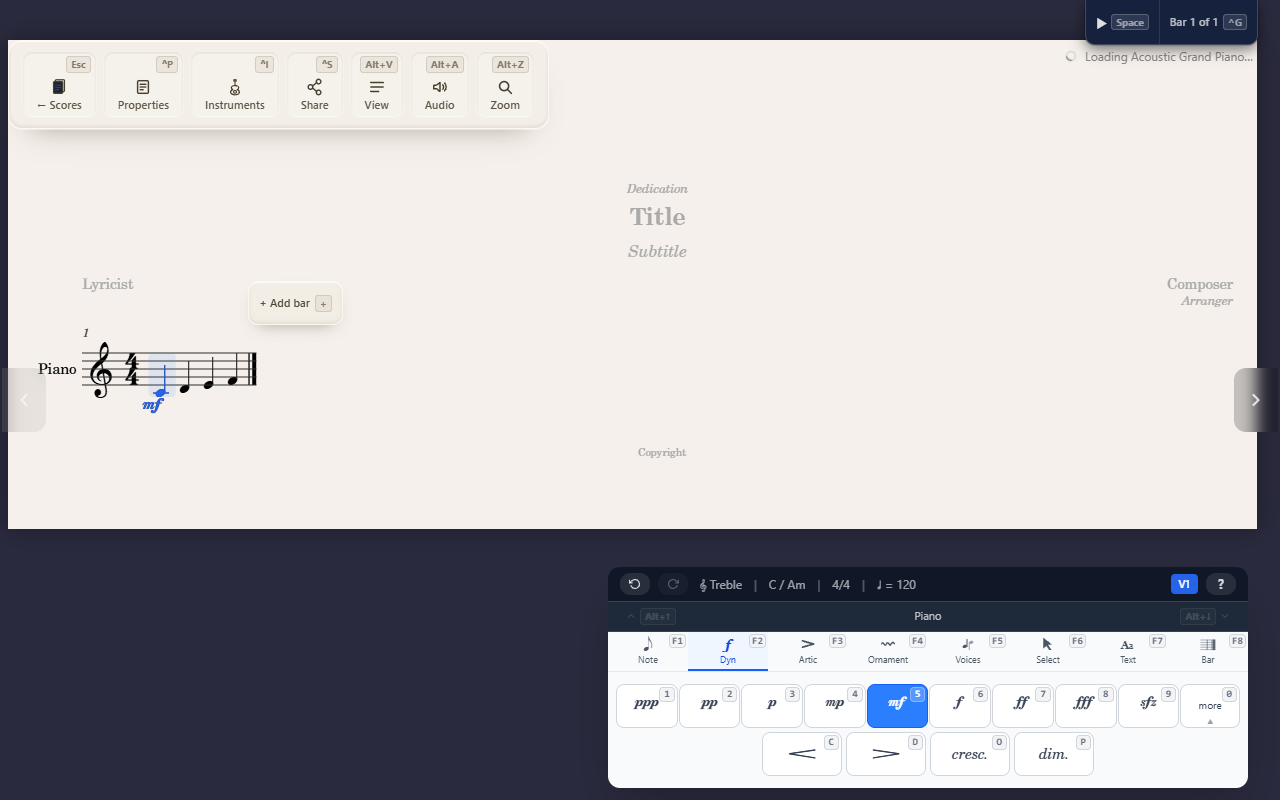
The Dynamics tab (F2) covers two different kinds of mark: a dynamic
level, set directly on one note, and a hairpin or text crescendo, which
stretches across a passage as a spanner.
Setting a dynamic level
Select a note and press a key on the Dynamics palette — pp through
fff, sfz, and a further set of combinations (sfp, rfz, and so on)
under the 0 overflow submenu. Each replaces whatever dynamic was already
on that note; there’s no need to clear the old one first.
Hairpins and text crescendos
C (crescendo hairpin), D (decrescendo hairpin), O (text “cresc.”),
and P (text “dim.”) are spanners, not direct marks — they need a start
and an end point the same way a slur does. See Creating spanners for
the shared mechanic: a range already selected applies one immediately,
end to end; a single note selected lets you pick the end point with a
live preview.
Flipping above or below the staff
X moves the selected note’s dynamic mark to the other side of the
staff. If the note carries more than one flippable thing — its own
dynamic mark and a hairpin starting there, say — X opens a small menu
first so you can pick which one moves; with only one, it flips right
away. Press X again to hand the mark back to the instrument’s own
default side rather than pinning the opposite one, so a mark only carries
your override while you actually disagree with the default. Select a
range first and X flips every dynamic mark and hairpin the range
covers, each from its own side.
Clearing
Setting a dynamic to the same value it already has removes it. For a
hairpin or text spanner, select its start note and press its own key
again. To remove the dynamic mark and any spanner starting on a note
together, search “Clear Dynamics” in the command palette (^K) — it no
longer has its own keyboard shortcut, since X now flips.
Tips
- Reach for a direct mark (
pp,mf, …) for a single moment’s loudness, and a hairpin or text spanner for a change across several notes.