Building chords by stacking intervals
Alt+2 through Alt+8 add a diatonic interval above the selected note — or above every note in a range — so you can build chords without leaving the keyboard.
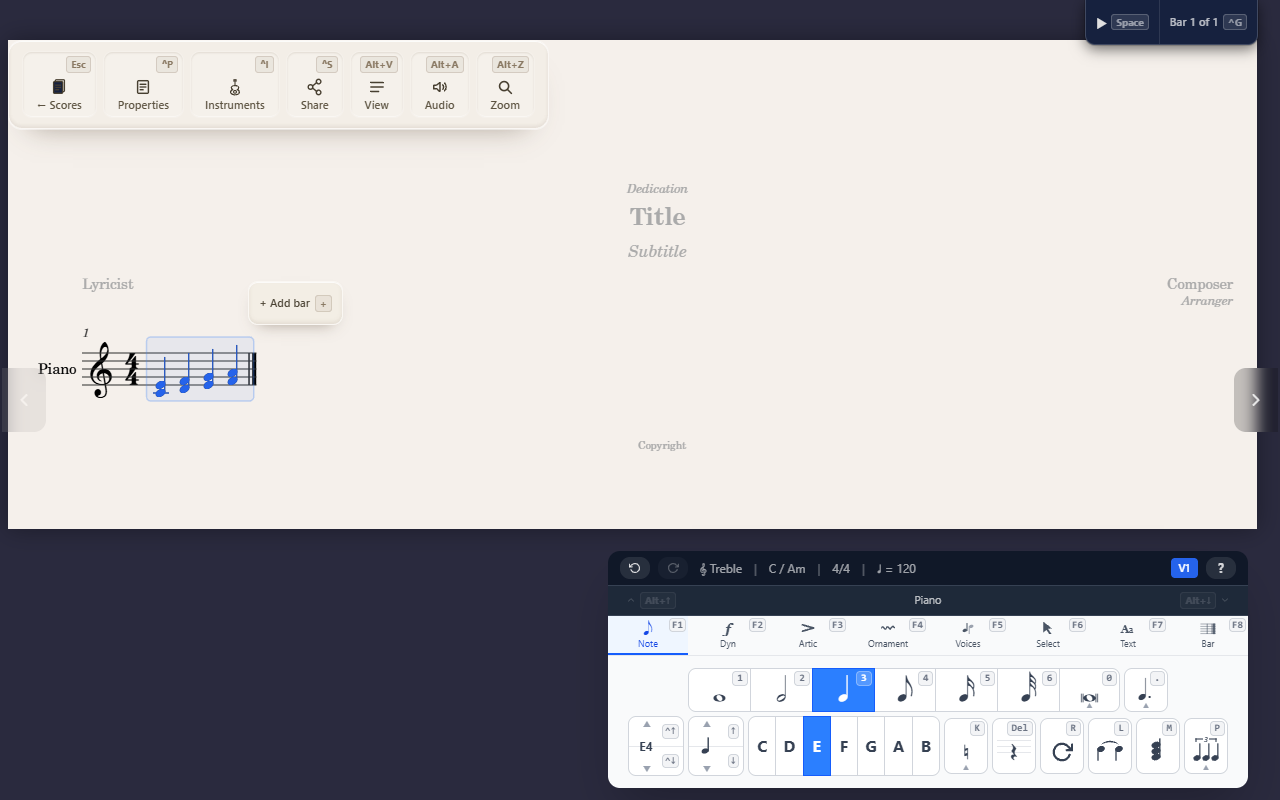
Hold Alt and press a number to add a note that interval above the current
one, turning it into a chord. Alt+3 adds a third, Alt+5 a fifth, Alt+8
the octave. These work on any palette tab, so you don’t need to be on the Note
palette first.
Stacking onto one note
Select a note and press Alt+3: it becomes a two-note chord. The highlight
moves to the note you just added, so pressing Alt+3 again stacks a third
above that — three presses from a single note build a diatonic seventh
chord.
Alt+2— secondAlt+3— thirdAlt+4— fourthAlt+5— fifthAlt+6— sixthAlt+7— seventhAlt+8— octave
On a chord, the interval is measured from whichever notehead is highlighted, so you can click an inner note of a chord and stack from there.
Stacking across a selection
With a range selected, Alt+3 adds a third to every note and chord in it
at once — a quick way to harmonise a passage in parallel. Each event is
measured from its own top note, so pressing Alt+3 again grows every chord
upward by another third rather than re-stacking the same note.
The selection stays where it was afterwards, so you can keep pressing to build
taller chords across the whole passage. The whole batch is one action: a single
Ctrl+Z undoes it.
Intervals follow the key signature
The interval is diatonic — it takes its accidental from the key signature rather than always being major or minor. A third above D is F in C major, but F♯ in G major. Stacking a third across a passage therefore gives a mix of major and minor thirds, matching the scale.
To make a stacked note chromatic, apply an accidental to it afterwards with the usual accidental keys.
If a selection spans a key change, each note is spelled using the key in force where it sits.
Tips
- Stacking always goes upward, from the reference note.
Alt+1does nothing — a unison would add a note that’s already there. The same applies to any interval landing on a pitch the chord already contains; on a single note the highlight staying put is the sign nothing was added.- Stacking needs a note or chord selected. A rest is left alone, including rests inside a range selection.
- On tablature and percussion staves the number keys mean fret numbers and drum
slots, so
Alt+number doesn’t stack there. In a range covering both kinds of staff, the pitched staves are stacked and the others are left as they are. - With a Bottom of chord filter active, stacking measures from each chord’s lowest note instead of its top — see Narrowing what a selection affects.
- To move existing notes by an interval rather than adding new ones, see Transposing a selection.