Sharing a score
Ctrl+S's Share & Export panel shares a private link, invites collaborators to co-edit, publishes to the public gallery, or generates an embed snippet — separate from the file/audio export it also offers.
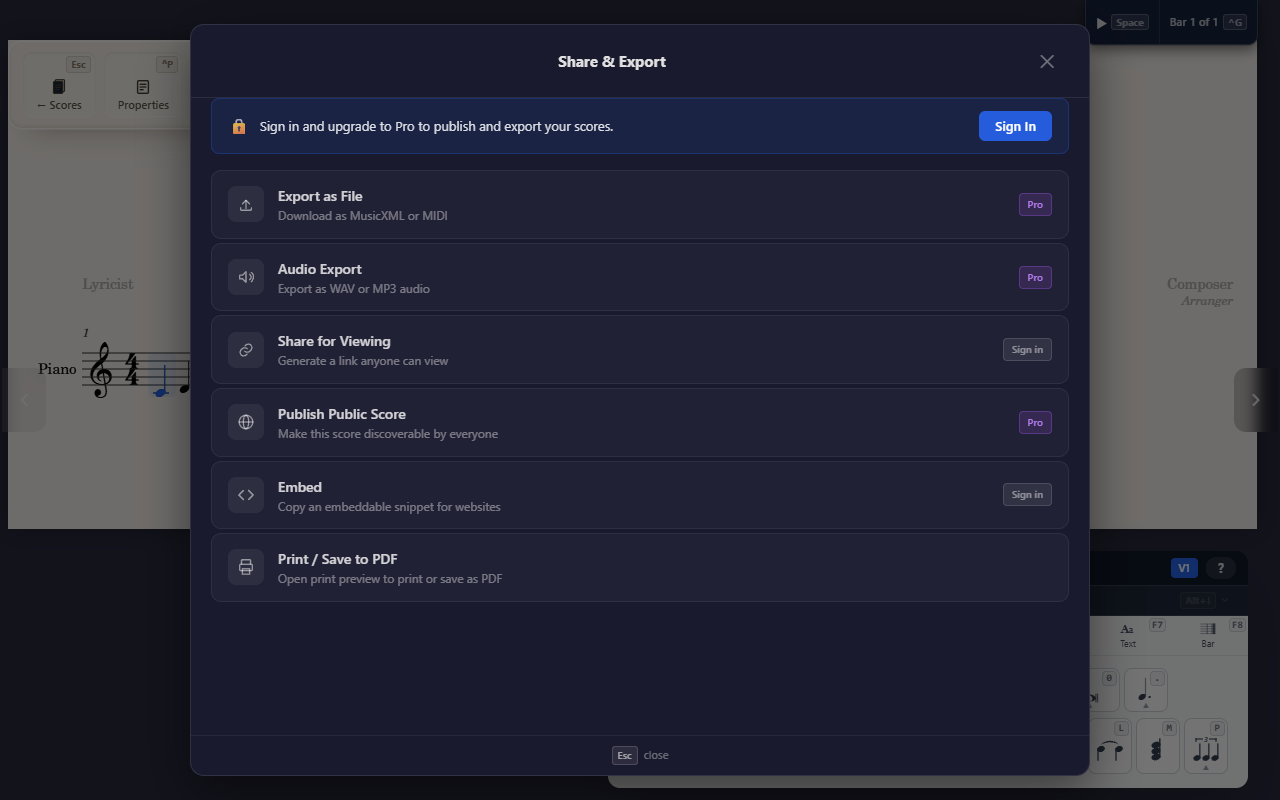
Ctrl+S opens Share & Export. Four of its seven features are about
sharing a link rather than producing a file (see Exporting your score
for the other three).
Share for Viewing
Generates a read-only link (and, for a multi-part score, a per-part link too) that anyone can open with no account required — the score moves from private to unlisted. There’s no expiry or password option; Stop Sharing reverts it to private and the link stops working. Free for any signed-in user.
Share for Editing
Generates an edit-invite link. Anyone who opens it can sign in and co-edit the score with you in real time, seeing each other’s cursors as they work — no separate viewer/editor role to choose, they simply become another editor of the score. Set how many editors a link can seat before creating it; each link expires automatically after 7 days, though anyone who already joined keeps their access even after their link expires. From the same panel you can revoke a single link, remove one collaborator, or use End session to remove everyone and disable every active link at once. Free for any signed-in user — collaboration carries no Pro gate.
A score someone has invited you to co-edit shows up in the Shared tab on your home screen (alongside My Scores, Explore, and Trash), labelled with the owner’s name. Opening it puts you in the same real-time editor as everyone else working on it. Editing is unrestricted, and printing, exporting, and audio export follow your own plan, exactly as on your own scores. Only the owner can delete the score, manage sharing (links, collaborators, visibility, publishing), or edit its tags.
Publish
Makes the score fully public, listed for others to discover, after you accept a copyright disclaimer. You set a classification, a license (several Creative Commons variants, All Rights Reserved, or CC0), tags, and a description. A public score shows a “Live” badge and its own public URL. Unpublish reverts it to unlisted (existing share links still work); Make Private stops every link at once. Publishing requires a Pro or Team plan.
Embed
Generates an <iframe> snippet to drop the score into an external
website, with an adjustable zoom level. Free for any signed-in user.
Tips
- Share for Viewing, Share for Editing, and Embed are free; Publish (and file/audio export) need a Pro or Team plan.