Adding staff text
F7 X adds free multiline text above or below the staff for anything the other text types don't cover, with no playback effect.
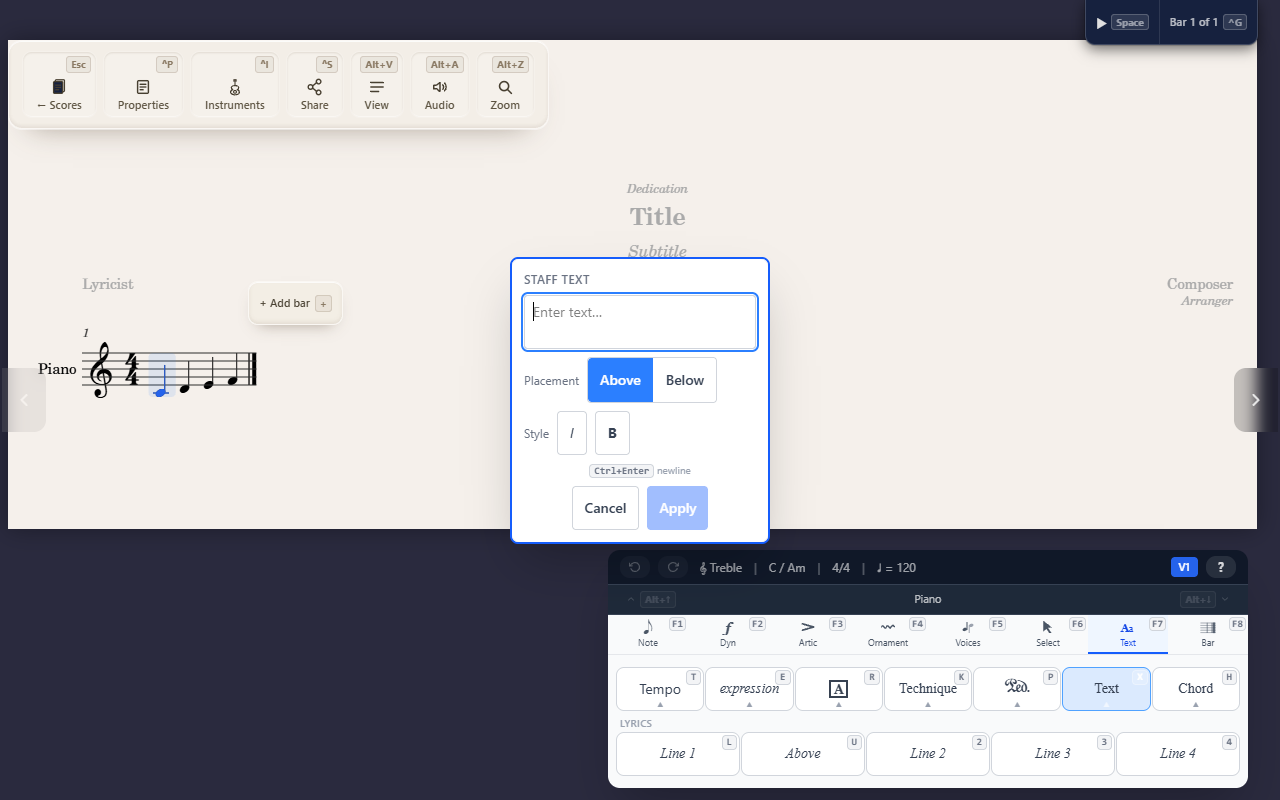
F7 X (Text tab) adds plain free text — a catch-all for anything the
other five text types don’t cover, like a movement title or a custom
note to the performer. It has no playback effect at all.
What it can do
- Multiline — press
Ctrl/Cmd+Enterto insert a line break; plainEnterapplies and closes. - Bold / italic toggles.
- Above or below the staff, switchable with the arrow keys.
When to reach for this instead
If what you want to say fits one of the more specific types, use that one instead — it’ll carry the right font and, where relevant, playback effect automatically:
- A mood/dynamic instruction (dolce, cantabile) → Adding expression text.
- A physical playing instruction (pizz., arco) → Adding technique text.
- A rehearsal reference letter/number → Adding rehearsal marks.
Staff text is what’s left once none of those fit.