Working with multiple voices
Ctrl+1–4 switches which voice you're entering notes into; the Voices tab moves and swaps events between voices, and can shift a note to the staff above or below for display.
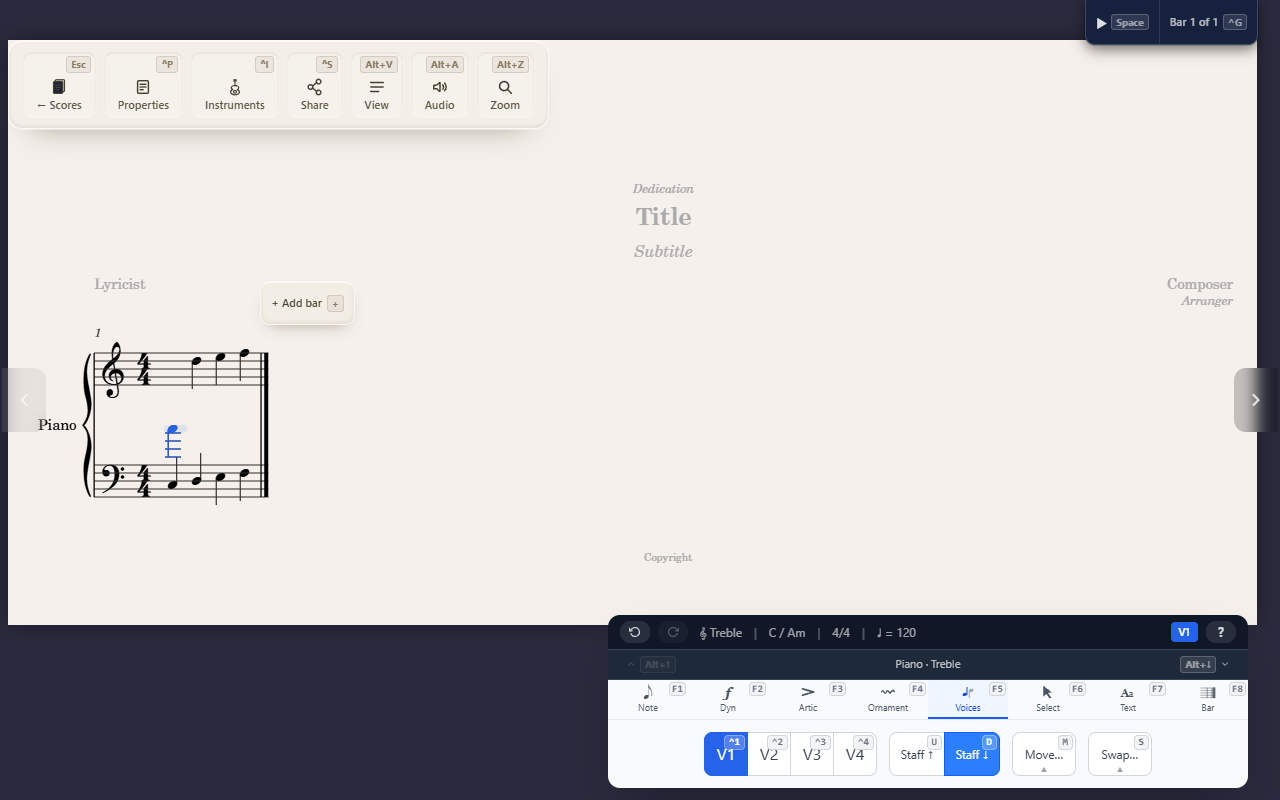
A measure can hold up to four independent voices on the same staff — for two-part writing on one staff, or for a note that needs to visually sit on the other staff of a grand staff without actually belonging to it.
Switching voices
Ctrl+1–Ctrl+4 changes which voice new notes are entered into. Switching
to a voice that doesn’t exist yet in the current measure creates it
automatically, filled with rests matching the measure’s rhythm — you don’t
need to add it in advance.
Moving and swapping voices
F5 M 1–4 moves the selected events into the target voice, leaving rests
behind in their old slots. F5 S 1–4 swaps the entire contents of two
voices across the current selection (Voice 1 ↔ 2, 3 ↔ 4, 1 ↔ 3, or 2 ↔ 4).
Both auto-create whichever voice they need if it doesn’t already exist —
same as switching.
Cross-staff display
F5 U / F5 D shifts the selected note(s) to display on the staff above
or below, within the same instrument. This only changes where the note is
drawn — the note stays in its original staff and voice; nothing about
the underlying data moves. It’s for things like a low note in a right-hand
piano passage that reads more naturally sitting on the bass staff.
A note shown on the other staff reads as part of that staff’s bar: an accidental earlier in the bar on that staff holds for it, and its own accidental holds for that staff’s later notes, not its home staff’s.
Not the same as a spanner crossing staves. A selection that spans two staves and gets a spanner applied to it (see Creating spanners) produces two separate spanners, one per staff — the data on each staff never moves. Cross-staff display is the opposite kind of “two staves, one instrument” feature: one specific note’s drawing position changes, with no spanner involved at all. Same instrument, same word (“staff”), two unrelated mechanics.
Tips
- Two voices on the same line or space with different accidentals, such as C♯ against C♮, each get their own notehead, side by side, each accidental beside its own note.
- Cross-staff display is a no-op on a rest, on a single-staff instrument, or if the shift would move a note off the top or bottom of the grand staff.
- Move-to-voice and swap both preserve event identity, so any spanner attached to a moved note stays attached correctly.
- Moving to a voice overwrites the rests there and replaces any note it covers completely. If a moved note would start or end partway through a note in that voice, nothing moves.