Adding chord symbols
Type a chord like "Cmaj7" or "G7/B" and see a live voicing preview and audition button — chord symbols transpose correctly with the score, unlike plain text.
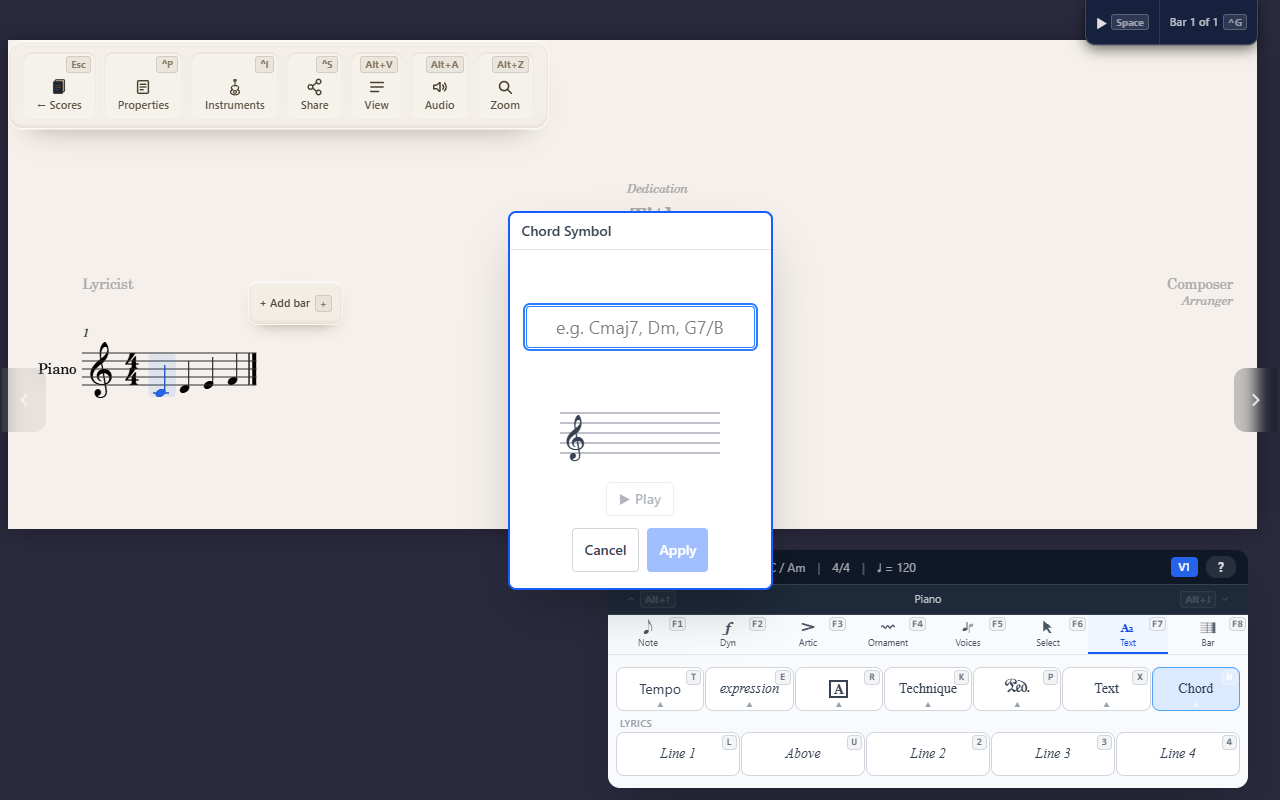
F7 H opens the chord symbol editor at the cursor. Type a chord name —
Cmaj7, Dm, G7/B for a slash chord over a different bass note — and
it parses live: valid input shows a formatted glyph preview (proper △/°/ø
symbols and superscripts, not raw text), and invalid input turns the
field red with Apply disabled until it’s fixed.
Hearing what you typed
While typing, a small preview staff shows the chord’s voicing, and a play button lets you audition it — both update as the text changes, so you can check a chord sounds right before committing it.
Why not just type text
A chord symbol is structured data (root, quality, extensions, optional bass note), not a text label — so it transposes correctly along with the rest of the score. Plain Staff text looks similar but won’t move when you transpose.
Tips
- Chord symbols are one score-wide layer, not tied to a specific staff — they sit above whichever instrument you added them from.