Adding grace notes
F4 N adds an acciaccatura at the cursor's pitch, or toggles acciaccatura/appoggiatura on a grace note you've already selected.
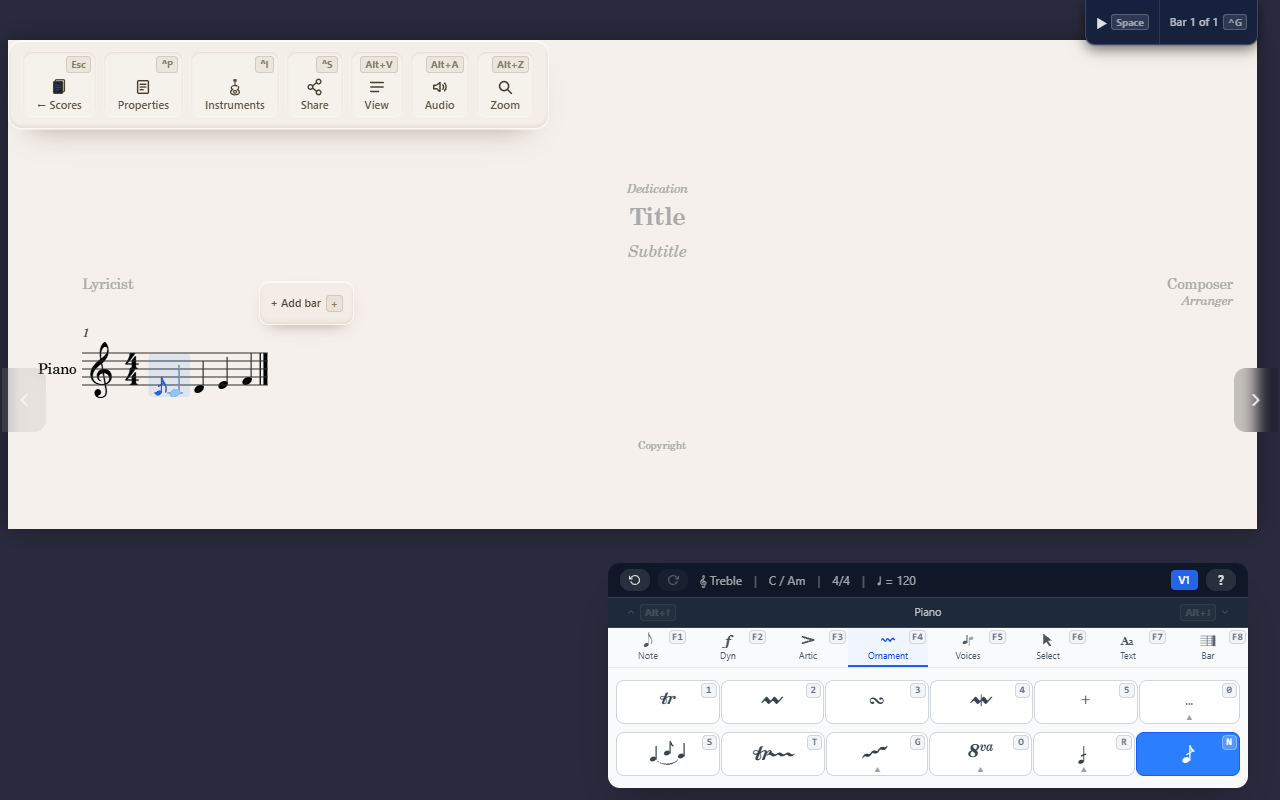
A grace note is a small, unmetered ornamental note attached to a principal
note — F4 N (Ornaments tab) adds one.
Adding and switching type
- A normal note selected —
F4 Nadds an acciaccatura (a short grace note with a slash through its stem) at the cursor’s current pitch. - A grace note already selected —
F4 Ntoggles it between acciaccatura and appoggiatura (no slash, held slightly longer) instead of adding another one.
After adding a grace note, the cursor moves onto it, so you can immediately adjust its pitch or duration.
Editing a grace note
Once your cursor is on a grace note, the same keys as a normal note work
directly — pitch letters, Delete, duration digits, K (accidental), L
(tie), R (duplicate). Use the keys directly, not the command palette:
the Note (F1) palette’s duration/dot/rest commands don’t check whether a
grace note is selected, so running one of those from ^K search edits
the principal note instead of the grace note in front of your cursor —
silently, with no warning. A direct keypress always targets whatever’s
actually selected.
Tips
- A grace note can’t yet carry its own articulations or ornaments — only the principal note it’s attached to can.
- There’s no “steal time from the previous note” playback option yet; grace-note timing is still evolving.