Creating tuplets
Select the first note of the group and press F1 P, then a digit from duplet through nonuplet — or dial in a custom ratio.
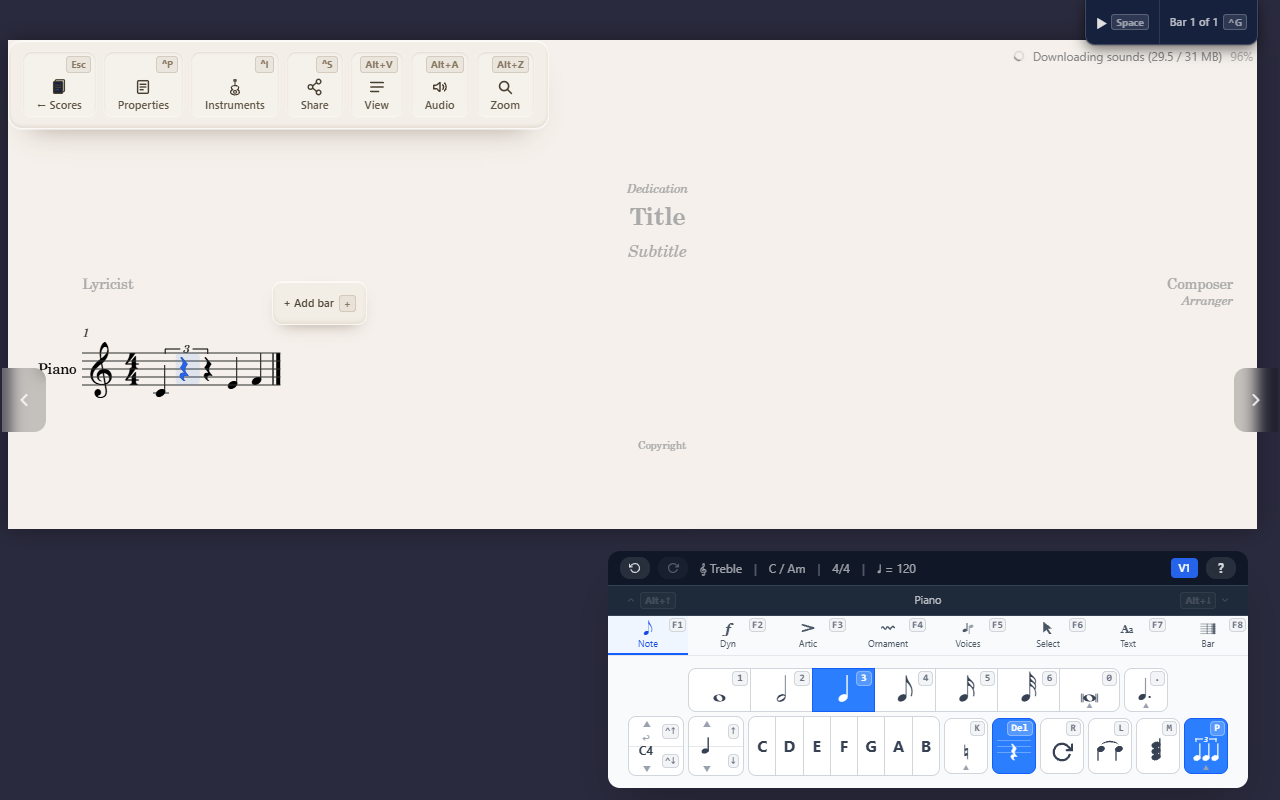
A tuplet groups a run of notes into a bracket marked with the ratio it plays against — three notes in the time of two, for a triplet, and so on.
Creating one
Select the first note of the group, open the Note palette with F1, then
press P followed by a digit:
2— Duplet (2:3)3— Triplet (3:2)4— Quadruplet (4:3)5— Quintuplet (5:4)6— Sextuplet (6:4)7— Septuplet (7:4)8— Octuplet (8:6)9— Nonuplet (9:8)
QuickStave groups the selected note and however many follow it into the bracket, restyled to fit the ratio’s total duration.
A custom ratio
F1 P 0 — or the … button in the tuplet menu — opens a dialog for any
ratio the standard list doesn’t cover, such as 5:3 or 11:8. Set the two
numbers by typing them or with − and +: how many notes, and in the
time of how many. The line beneath them says what will be created and how
its number will print; Apply creates it.
The notes are written on the selected note’s value. When a ratio calls for a different value, QuickStave writes it that way and the dialog says so: five notes in the time of two quarters are written as eighths, 5:4. A ratio that is really plain notes, or that runs past the bar line, is explained in the dialog and can’t be applied.
How the number prints
A tuplet prints just its first number when the second is the one a player expects — 3 for 3:2, 5 for 5:4, 7 for 7:4, 11 for 11:8. Any other ratio prints in full, such as 5:3 or 3:4, so it can’t be misread. A tuplet whose notes are all under one beam shows only its number; otherwise it has a bracket too.
Changing how a tuplet prints
Select a note in the tuplet and open the tuplet menu with F1 P. Its bottom
two rows set how the tuplet prints:
- Bracket —
Aautomatic, as above;Balways show the bracket;Dhide it. - Number —
Nthe first number only;Rthe full ratio, such as 3:2;Hno number.
The tuplet’s current settings are highlighted. With a range selected, a
choice applies to every tuplet in it: to number only the first bar of a
passage of triplets, select the rest of the passage and press F1 P H. With
no tuplet selected, the two rows are greyed out.
Removing a tuplet
F1 P Delete ungroups the tuplet containing the current selection,
replacing its notes with rests that fill the same time.
Tips
- See Entering notes for setting durations before grouping them into a tuplet.