Adding slurs
A slur phrases together notes of different pitches, using the same select-then-shortcut spanner mechanic as hairpins and lines.
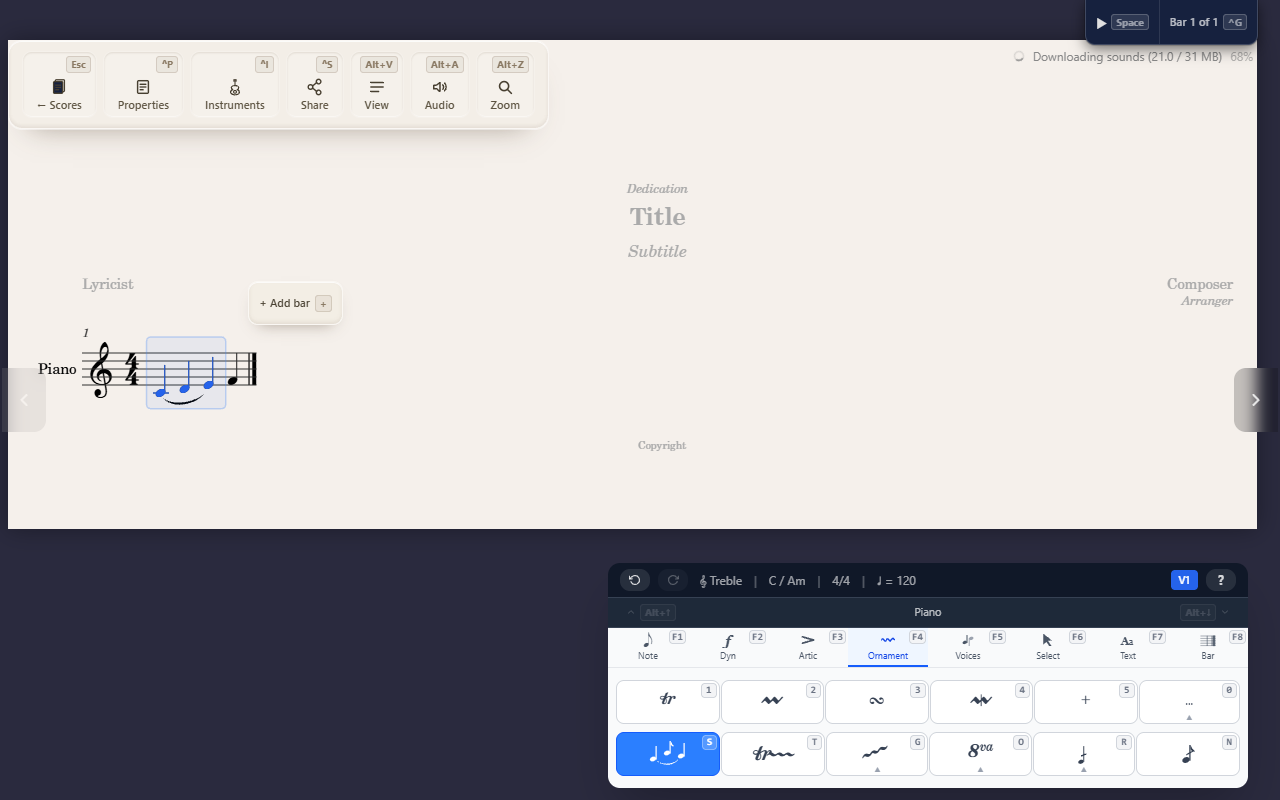
A slur is a curved line joining notes for phrasing — play them smoothly connected, as one musical gesture, regardless of their pitches.
Creating a slur
Select a range and press F4 S (Ornaments tab) to slur it end to end
immediately, or select just the start note to enter spanner mode and pick
the end point yourself. See Creating spanners for the full mechanic,
shared with hairpins, trill lines, and octave shifts.
Not the same as a tie
A slur can look like a tie, but they mean different things. A tie only
ever joins two notes of the same pitch, to extend how long one note
sounds — it’s a direct toggle (F1 L) with no end point to pick. A slur
can join notes of different pitches, for phrasing, and doesn’t change
how long anything sounds. If you’re trying to hold a note’s pitch across a
barline or beat group, you want a tie — see Entering notes.
Flipping above or below
A slur curves above or below its notes automatically, based on stem
direction and voice. To move it to the other side, select its start note
on the Ornaments tab and press X — see Turns, mordents, and trills
for the flip mechanic itself, shared with ornament symbols.
Tips
- A slur is purely notational — it doesn’t change playback duration, only how the phrase is marked for a performer.