Changing how notes are beamed
QuickStave beams notes by the time signature. F3 B breaks, joins or removes the beam at one note, divides inner beams, beams a selection together, or feathers a group.
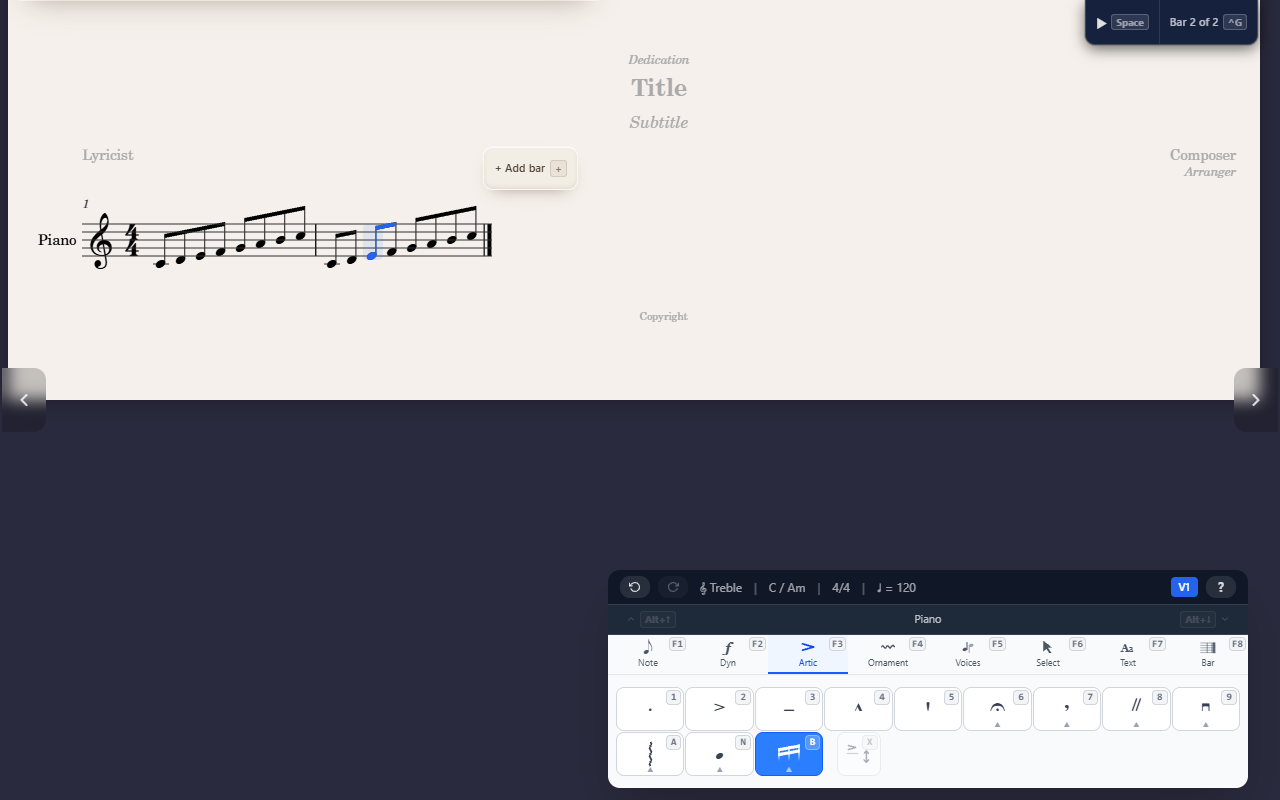
QuickStave beams eighths and shorter notes for you, following the time signature. Where a passage needs different beaming, change it at one note from the Articulations tab; the rest of the score keeps its automatic beaming.
How the time signature beams
- Shorter than an eighth: in most meters, 16ths and shorter are beamed by the beat.
- 2/4 and 3/4: eighths can be beamed across the whole bar. In 3/4 a beam of eighths never starts or ends halfway through the bar, so the bar can’t be mistaken for 6/8.
- 4/4: eighths are beamed in half bars, never across the middle of the bar.
- 2/2, 3/2 and compound meters such as 6/8: notes are beamed by the beat.
- 2/8, 3/8 and 4/8: a beam can cover more than one eighth beat, with its inner beams broken at each beat so the count still shows.
- Inner beams: a run of 32nds or shorter is divided into eighth-note units by its inner beams, while its main beam carries on.
- Fractional beams, the short beam on a single note such as the 16th of a dotted figure, point toward the beat they belong to.
To beam a meter by different beats, such as 7/8 as 3 + 2 + 2, set its
Grouping in the time signature picker (F8 T, then G).
Changing the beam at one note
Select a note and press F3 B to open the beam menu. Each choice says how
the note joins the one before it:
AAuto: the time signature decides. Choose it to undo any of the others.BBreak before: a new beam starts at this note.JJoin to previous: the note stays on the previous note’s beam, even across a beat.NNo beam: the note isn’t beamed at all, and takes its own flag.
The menu highlights the note’s current choice, and the Beams button on the tab lights up when a note has one. Choices that can’t do anything for the selected notes are greyed out: a quarter note has no beam, for instance. Beams never cross a barline.
Beaming a selection
TBeam together beams exactly the selected notes as one group, even across beats. A selection over two bars gets one beam in each, and a quarter note or longer inside the selection splits it.Nover a selection unbeams it: every note takes its own flag. The command palette (^K) calls this Unbeam.Aover a selection returns every note in it to automatic beaming.
Inner beams
The digits break the inner beams between a note and the one before it, while the main beam carries on:
1Inner beams: 8th: the two notes are joined by the eighth beam only.2Inner beams: 16th: joined by the eighth and 16th beams.3Inner beams: 32nd: joined by the eighth, 16th and 32nd beams.
Use them to show how a run of 16ths or 32nds divides, such as 16ths
grouped in pairs. Each is available only where the notes have more beams
than it keeps. J joins every inner beam again, for a run you want
undivided, like a fast scale.
Beams over rests
A rest inside a beat doesn’t break the beam: the beam runs over the rest, so the beat still reads as one group. A rest at the start or end of a beat stays outside the beam.
Select a rest and open the beam menu to change it:
Jcarries the beam over this rest, joining it to the notes before.Nkeeps the beam off this rest.Bstarts a beam at the rest. This needs Stemlets, below.
Two settings in Score Properties (Ctrl+P, the Beams section) apply
to the whole score:
- Beam over rests (on by default): turn it off and every rest breaks
its beam, unless you join it with
J. - Stemlets (off by default): a short stem from the beam toward each rest under it. With stemlets a beam may also start or end on a rest, so it can cover a whole beat, and Beam together keeps rests at the ends of the selection.
Feathered beams
A feathered beam shows the notes speeding up or slowing down freely within the group: its inner beams fan out from the main beam, or in toward it. Select any note of a group with 16ths or shorter:
FFeathered: accelerando: the beams fan out toward the end of the group.SFeathered: rallentando: the beams draw in toward the end.OFeathered: off.
The notes keep their written values, in playback too.
Tips
- MusicXML files keep their own beaming when you import them. On export, a score with any beaming change writes every beam as drawn; a score beamed automatically throughout writes none, so the program that opens it beams by its own rules.
- A choice is kept when an edit leaves it nothing to do, such as Break
before on a note you lengthen to a quarter, and works again once the note
can be beamed.
Aremoves it. Xon the Note tab flips a whole beam group’s stems at once; see Entering notes.